데브허브 | DEVHUB | Gemini Code Assist Released for FREE! BEATS Cursor?
🚀 Gemini Code Assist: Free AI Coding Tool with High Usage Limits!
Discover Gemini Code Assist, Google's powerful AI coding assistant now available completely FREE with the highest usage limits in the market! This video demonstrates how to integrate and use this revolutionary tool in both VS Code and GitHub.
✨ Key Features:
• 180,000 code completions per month
• Support for ALL programming languages in the public domain
• Massive 128,000 token context window
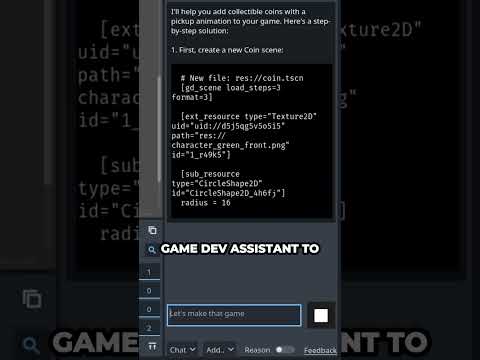
• Code modification and generation using natural language
• Error identification and automatic fixes
• Refactoring capabilities
• Multi-IDE support including VS Code and JetBrains
• GitHub integration for pull request reviews
🔍 What You'll Learn:
• How to install and set up Gemini Code Assist in VS Code
• Using the knowledge agent to understand existing code
• Refactoring code with AI assistance
• Converting simple scripts into complete applications (Flask demo)
• Error detection and correction
• Creating frontend components
• Setting up GitHub integration for AI-powered code reviews
💻 VS Code Integration:
Install the plugin directly from the marketplace and sign in with your Google account - no cloud account necessary! Access powerful code generation and assistance with a simple sidebar interface.
🐙 GitHub Integration Benefits:
• AI-powered code reviews on pull requests
• Automatic PR summaries
• Ready-to-commit code suggestions
• On-demand assistance within PRs
🔄 Comparison:
Gemini Code Assist competes directly with GitHub Copilot, Cursor, and Miner, but offers generous free limits and comparable features.
👉 Try It Now:
Perfect for beginners learning to code or experienced developers looking to boost productivity!
#GeminiCodeAssist #AIcoding #FreeCodingTools #VScode #GitHub #ProgrammingTips #CodeGeneration #GoogleAI #DeveloperTools #CodingTutorial
Timestamp:
0:00 - Introduction to Gemini Code Assist
1:05 - Getting started with VS Code integration
1:28 - Free usage limits and capabilities
1:46 - Demo: Code explanation feature
2:09 - Demo: Code refactoring
2:38 - Demo: Converting to Flask application
3:03 - Demo: Error identification and fixing
3:22 - Demo: Creating frontend files
4:13 - GitHub integration walkthrough
4:34 - GitHub PR features and benefits