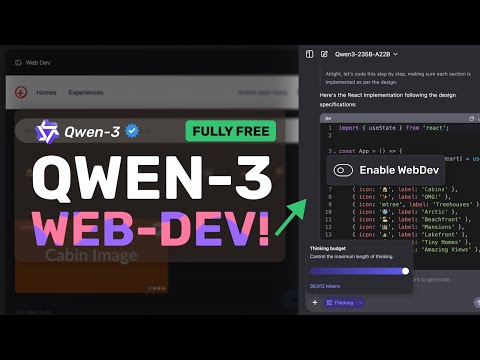
데브허브 | DEVHUB | AppLLM: Create App and Deploy just using AI! Any Better?
AppLLM: AI-Powered App Development Without Coding
🔥 Introducing AppLLM - The revolutionary AI tool that lets you create fully functional applications using just natural language instructions!
https://appllm.abacus.ai/https://bit.ly/abacusai-chatllm
In this video, I demonstrate how AppLLM allows anyone to build and deploy web applications without writing a single line of code. Watch as I create a complete calorie and macro tracking app in minutes, with mobile responsiveness and visual dashboards.
🚀 Key Features:
Create apps using simple natural language instructions
Instant preview and testing functionality
One-click deployment to production
Mobile responsive design by default
Easy modification and error handling
No coding knowledge required
💻 Example Shown:
I build a calorie tracking application that includes:
Daily progress tracking
Macro distribution visualization
Food logging with name, calories, protein, carbs, and fat
Ability to add and delete food entries
Responsive design for all devices
💰 Pricing:
All these features are included in ChatLLM for teams subscription for just $10/month, which gives you access to:
State-of-the-art large language models
Internet search capabilities
Deep research tools
Image and video creation
Document chat functionality
AppLLM, CodeLLM, and ChatLLM
👀 Related Content:
Check out my CodeLLM video to see another powerful feature included in your $10 subscription!
🔍 How It Works:
1. Describe what you want to build in natural language
2. AppLLM plans and creates all required files
3. Preview your app directly in the interface
4. Make modifications by simply asking for changes
5. Deploy with one click to get a shareable URL
Like, Subscribe, and Comment what you think about this tool! What app would you build with AppLLM?
#AppDevelopment #AI #NoCode #AppLLM #WebDevelopment #AITools #TechTutorial #CodeLLM #ChatLLM
Timestamp:
0:00 - Introduction to AppLLM AI-powered app development
1:07 - Getting started with the interface
1:33 - Building a calorie tracking app demonstration
2:16 - Testing the created application functionality
2:44 - Making modifications to the app
3:24 - Troubleshooting app issues
3:56 - One-click deployment process
4:16 - Conclusion

![[유니티 TIPS] 산업 및 모바일 게임 트렌드](https://i3.ytimg.com/vi/bXEptvKxD14/hqdefault.jpg)